

The AI here is built for working techs, so it stays out of your way. It never contradicts a measurement, never invents a reading, and never gets between you and your results. The hard numbers from your files are always ground truth; the AI does the judgment and the explaining on top.
There are three pieces to AI fiber optic analysis at JTS, and they all live inside one free tool, Fiber Analysis.
An expert on fiber, right in the chat
The newest piece is Ray, the Fiber Expert: a chat window built into your results that will answer just about any fiber question you throw at it. Not a generic chatbot bolted on, but a fiber specialist that already knows the tools, the standards, and the field. Ask Ray anything.
Ask it what a reflectance number means, how chromatic dispersion differs from PMD, whether you can splice 200µm fiber with your splicer, or how the color code runs past fiber twelve. It answers in plain language, the way a senior tech would over the radio, so you are not leaving the job to go search the web.
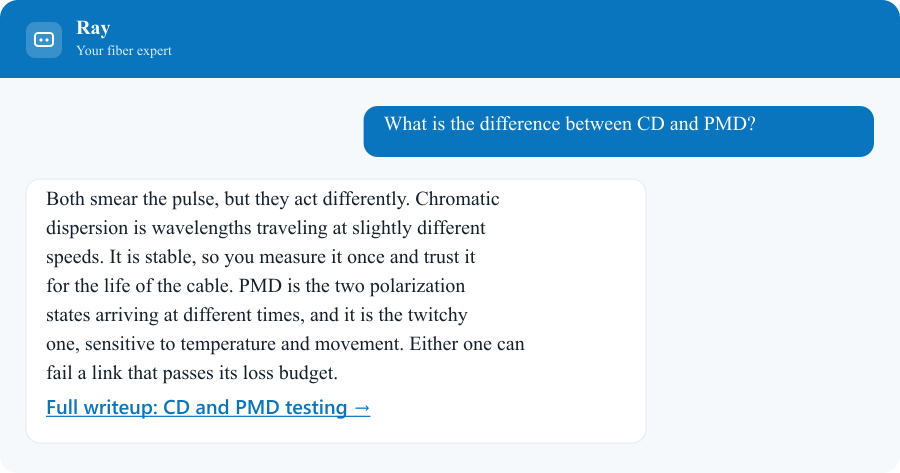
Because it is wired into the whole JTS library, it does more than talk. When a guide goes deeper on the topic, it hands you the link. When your question is really a job for another tool, it points you to the right one: the Chart Builder for a custom count chart, the Splice Matrix Builder for a closure, the Link Loss Calculator for a budget, or the printed fiber color code charts for the truck.
AI acceptance testing: a whole job, verdicted at once
AI acceptance testing is the part that saves real hours. On a build of any size, the bottleneck is never the testing, it is the review: someone has to open every trace, apply the thresholds, and write the pass or fail. At hundreds or thousands of fibers, that is an evening on a whiteboard, and a single wrong number can cost a truck roll days later.
Fiber Analysis automates that review. Drop a whole job's files in (OTDR, OLTS, iOLM, power meter), and it groups both directions and every instrument onto one row per fiber, applies your pass/fail thresholds (ANSI/TIA-568.3-D by default), and gives you a verdict on every fiber. The AI layer reads across the whole set for the things rules miss: the same event at the same distance on twenty fibers is one shared enclosure problem, matching break distances are one cut, a cluster of end-connector failures is a dirty panel.
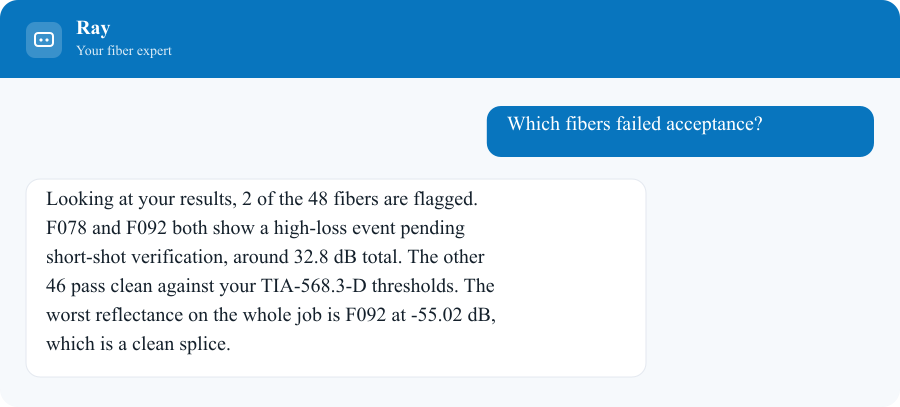
And because the assistant can see the results on your screen, you can just ask it. “Which fibers failed?” “What is the worst reflectance?” “How many need a second look?” It answers from your actual numbers, not a guess.
Drop a job's worth of test files and get a pass/fail verdict on every fiber, free.
Open Fiber Analysis →From raw traces to a signed closeout package
The last piece is the deliverable. A fiber build is not done when it passes, it is done when the closeout package (the as-built documentation) is signed off by the network owner. AI-assisted reporting turns the raw trace files into that package: a per-fiber pass/fail table, an AI-written review of the whole job, per-trace waveform reports drawn the way they look on screen, and a branded engineering title block, exported together as one clean set.
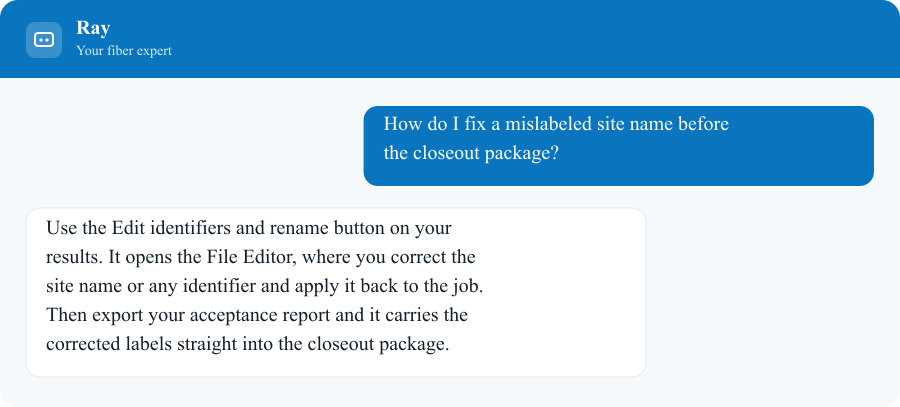
If a site name or a fiber identifier came off the gear mislabeled, you fix it first with the File Editor, straight from the results, and the corrected labels flow into the package. No retyping, no re-exporting from the test set.
Built with guardrails, private by design
The AI is kept on a tight leash, on purpose. The deterministic numbers from your files are always ground truth; the model is told never to contradict or invent a measurement. The assistant stays on fiber and the tools, and your test files are parsed in your browser and never uploaded. When you chat, only your typed question and a short summary of what is on your screen go to the AI provider to generate a reply, which is spelled out in the privacy policy. One habit to keep: do not paste real customer names or serial numbers into the chat.
It is gated to a free sign-in, which is simply how the token cost stays sustainable and the tool stays free. One email, one link, and you are in for a month.
Common questions
What is AI fiber optic analysis?
It is a language model layered on top of a deterministic test-file engine. The engine parses your OTDR, OLTS, and iOLM files into the hard numbers; the AI reads across all of it for patterns, priorities, and plain-language answers. The numbers stay ground truth and the AI does the judgment and the explaining.
Can AI do fiber acceptance testing?
It does not replace the test gear, but it automates the acceptance review. You drop a whole job in and get a pass or fail on every fiber against your thresholds, with the fibers that need a second look surfaced for you. An evening of opening files one at a time becomes one report.
What is an AI fiber optic closeout package?
It is the as-built proof a build passed, generated automatically from the raw traces: a per-fiber pass/fail table, an AI-written job review, per-trace waveform reports, and a branded title block, exported together so the network owner can sign off.
See it on your own job. Sign in free and ask Ray anything.
Try Fiber Analysis →Related: the story behind Fiber Analysis, how to read an OTDR trace, and automated fiber acceptance testing.