
The quick answer
A .msor file is a multi-wavelength OTDR trace, a container that packs several single-wavelength traces of the same fiber into one file. "MSOR" is short for multi-SOR: instead of separate .sor files at 1310, 1550, and 1625 nm, you get one .msor. To view it, open the free OTDR Trace Viewer, drag the file on, and switch between wavelengths with the selector. No software to install, nothing uploaded.
Open your .msor file now. Drag it onto the viewer, then switch between wavelengths to see each trace, free and in your browser.
Open the OTDR Trace Viewer →What's inside a .msor file
A .msor is essentially a bundle of standard OTDR traces plus the glue that keeps them together. Inside you'll typically find:
- Two or three full traces of the same fiber, one per wavelength (commonly 1310 and 1550 nm on singlemode, often 1625 nm added for maintenance testing).
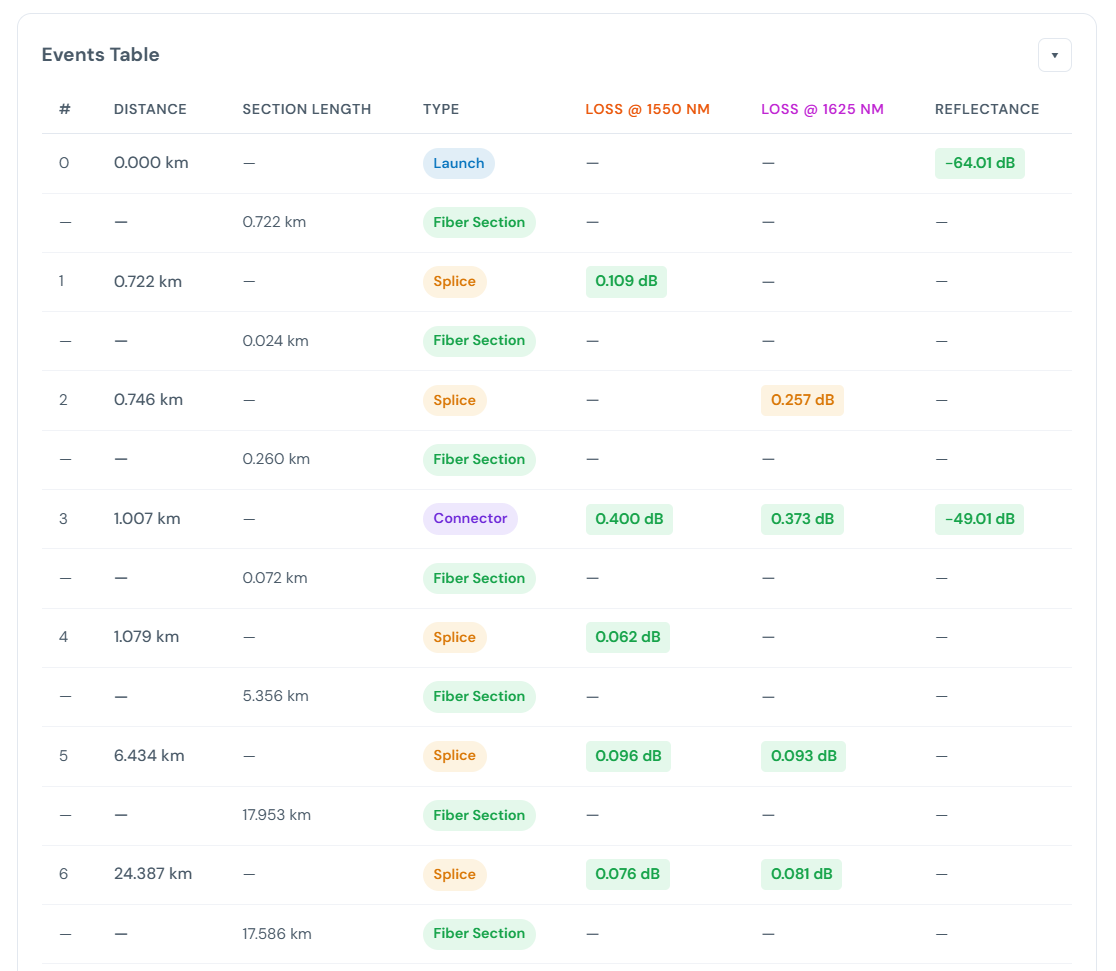
- An event table per wavelength, since a connector or splice can show a different loss at 1310 than at 1550.
- Span results per wavelength: length, total loss, and loss coefficient.
- Shared test metadata: fiber and cable IDs, direction, and the OTDR make and model.
It's a Viavi (formerly JDSU) format you'll see from instruments like the T-BERD / MTS platforms. Like a .sor, it's a binary instrument file, so it won't open by double-clicking without software that understands it.
Why bundle wavelengths into one file?
Testing at more than one wavelength is standard practice, because different problems show up at different wavelengths:
- 1310 nm is the baseline for singlemode loss.
- 1550 nm runs lower loss per km and is more sensitive to bending, so a macrobend often looks worse at 1550 than at 1310.
- 1625 nm is the maintenance/monitoring wavelength and the most bend-sensitive of the three.
Keeping all of them in a single .msor means the whole picture of one fiber travels as one file, instead of a folder of loose traces you have to keep matched up.
How to open a .msor file (step by step)
- Go to the OTDR Trace Viewer.
- Drag your
.msorfile onto the page, or click the drop area to browse and pick it. - The first trace draws immediately with span length, total loss, worst reflectance, and a full event table.
- Use the wavelength selector to jump between the 1310, 1550, and 1625 nm traces, and drag the A/B markers to measure any section.
Nothing uploads. The file is read locally in your browser, so a customer's traces never leave your device.
.msor vs .sor vs .trc
All three are OTDR traces. The difference is how many wavelengths are in the file and which vendor wrote it:
.sor— a single-wavelength trace in the Bellcore / Telcordia SR-4731 standard. See how to open a .sor file..trc/.trcx— EXFO's single-wavelength trace format. See what is a .trc file..msor— Viavi's multi-wavelength container: several traces of one fiber in one file.
The free viewer reads all of them, so you don't need a different tool per format.
Analyzing a whole job, not just one file
If you have a folder of traces from a full build (both directions, multiple wavelengths, dozens of spans) and want one pass/fail verdict per fiber instead of opening each file by hand, drop the entire job into Fiber Analysis. It groups files by fiber, reads OTDR, OLTS, and OPM results together, and gives you a per-fiber acceptance table.
Ready to look at your traces? The viewer is free, installs nothing, and keeps your files on your device.
Open the OTDR Trace Viewer →Related
- OTDR Trace Viewer & Analyzer, the free tool that opens .msor / .sor / .trc files
- How to open a .sor file
- What is a .trc file
- How to read an OTDR trace
- Fiber Analysis, for a whole job of traces at once
- All field guides